Photo to art Shopify app
Turn customer photos into art on your Shopify products
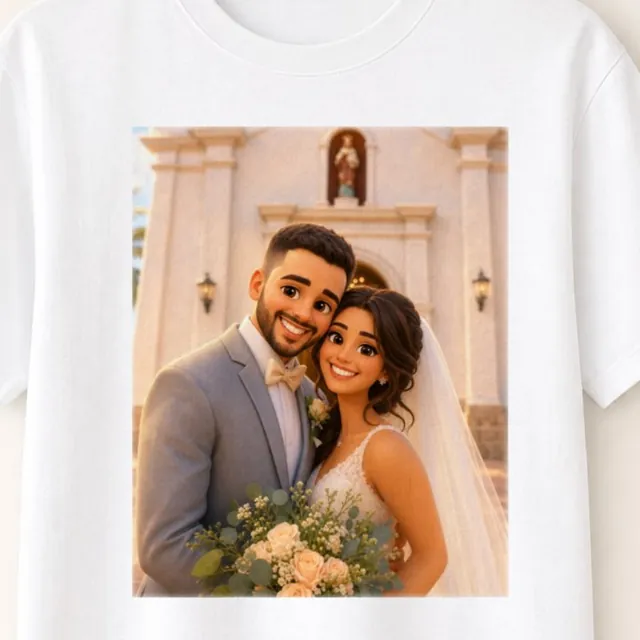
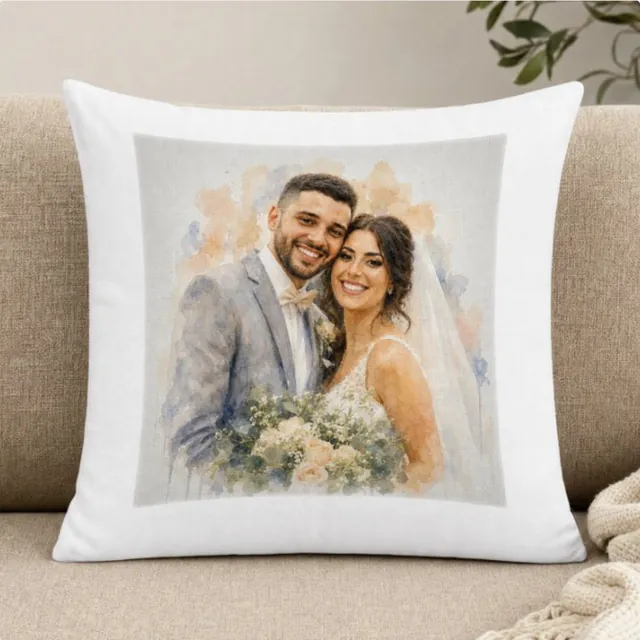
A photo-to-art Shopify app turns a shopper’s photo into artwork they can buy on your product. Perzo is a Shopify app that turns each shopper’s photo into art in your store’s own style. With a product mockup set up, shoppers see the art on your product before checkout, and Perzo prepares a print-ready file for the order.
- 9-day free trial
- Billed through Shopify
- No code
What a photo-to-art app does
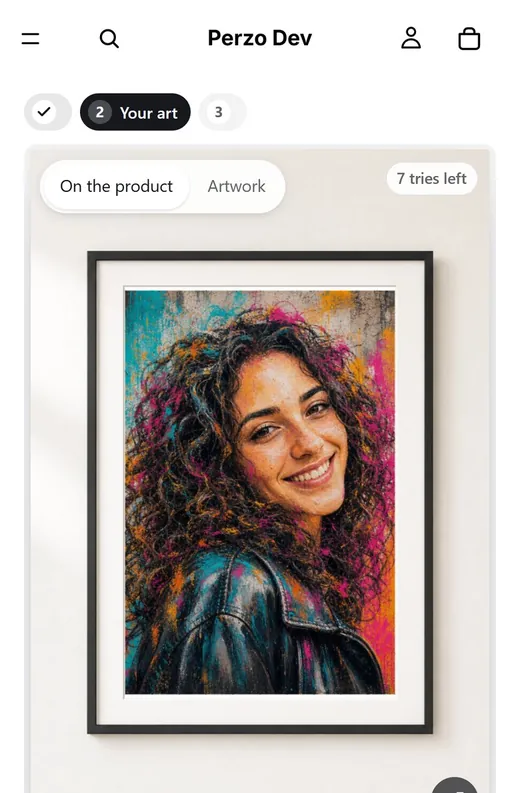
A photo-to-art app redraws the shopper’s photo itself as artwork, such as a watercolor, an ink drawing or a cartoon, instead of placing it on a template, and the shopper sees the result before buying.
With Perzo the look is not a generic filter. Each store creates its own styles, can test them on sample photos and chooses which versions to publish. Shoppers pick from your published styles.
How it works, end to end
From the shopper’s photo to the file you print. No prompt-writing and no separate proof-email step.
- 1
The shopper uploads a photo
The Perzo block on your product page asks for a photo. Perzo frames it to the shape of your print area automatically, and the shopper can adjust the crop, zoom or rotation.
- 2
They pick one of your styles
Perzo turns the photo into art in that style. Shoppers can create another version or try another style, up to the limit you set per session.
- 3
They see it on your product
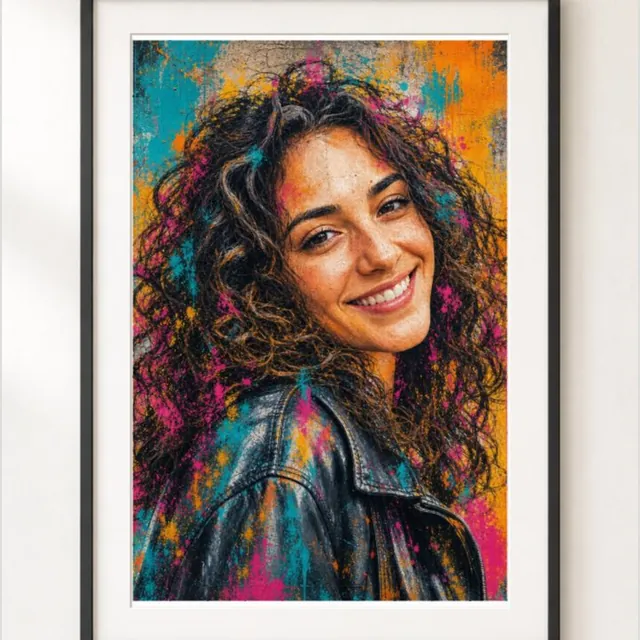
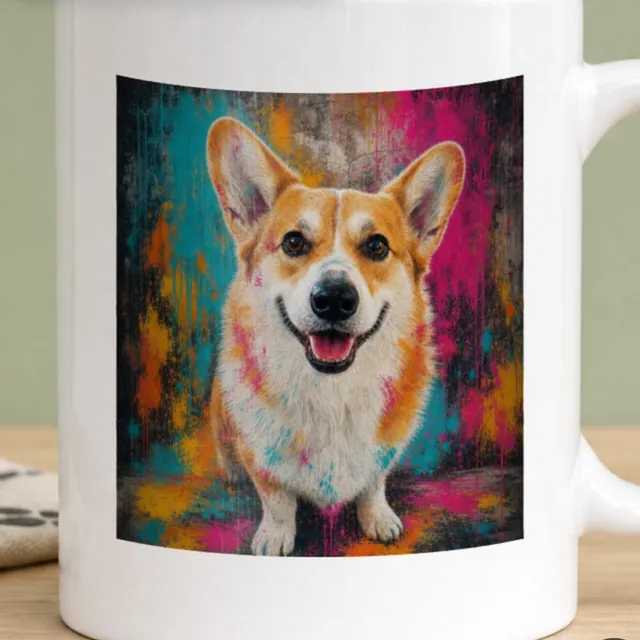
With a mockup set up for the product, the art appears on your own product photo as a 2D preview: a frame, a mug, a shirt and more. Without one, shoppers see the artwork itself. Previews carry a watermark by default.
- 4
They approve the exact image
The version they add to the cart is the approved one. The wizard tells them: “This exact image goes with your order. It will not be changed or recreated.”
- 5
The order comes in
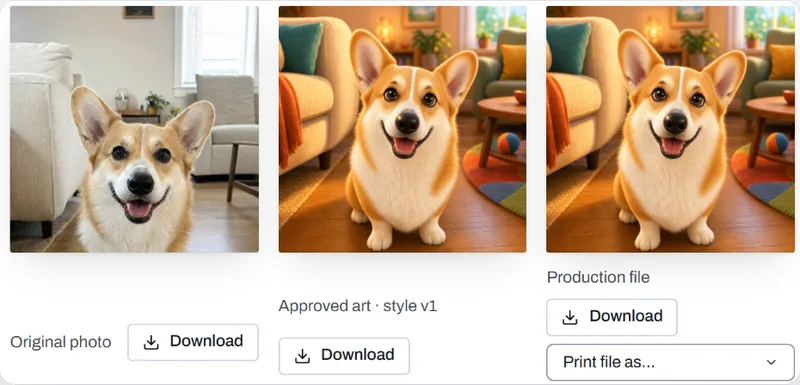
Each linked personalized order appears in Perzo with the original photo and the approved art, and its production file is prepared there.
- 6
You print it
Download the print file (PNG, JPEG, PDF or TIFF), made at the product’s print size and checked against its minimum DPI, and send it to your printer. Files stay available for the retention period you set.
Who it’s for
Shopify merchants who sell prints, canvases and gifts, and want each one made from the buyer’s own photo.
- Print-on-demand stores
- You already sell canvases, posters, mugs or shirts. Perzo adds a personalized version with art made from the shopper’s photo, and you send the file to your print provider as you do today.
- Gift shops
- Birthdays, weddings, anniversaries, memorials and holidays: portraits of people, couples, families and pets.
- Print shops and studios
- You produce in-house. Each linked order comes with the approved art and a file at your print size, without a separate proof-email step or redrawing.
What you control
Perzo makes the art; your store decides the look, the products and the limits. More on styles and calibration.
- Styles
- Upload one to four examples of the finished look you sell and Perzo Guide describes it in short points you can edit. Or start from a ready style. Each saved change creates a new version you can test, compare and roll back.
- Testing
- Try each style on sample photos like the ones your shoppers will send, before any shopper sees it, and choose which versions to publish.
- Products
- Choose which products offer which styles. Each product has its print size, bleed and minimum DPI, and is linked to the Shopify variant it sells.
- Mockups
- Optional per product: upload a photo of the blank product and place the print area, so shoppers see the art on it. Without a mockup they see the artwork itself. Product types: Frame / Canvas, Poster, Mug, T-shirt / Hoodie / Tote, Pillow, Puzzle, Tile and Other.
- Print quality
- The print file is made at the product’s print size and checked against its minimum DPI. When a shopper’s framing is small, the wizard suggests zooming out or a sharper photo.
- Text
- Optionally, ask for a name or a short dedication. It is set in your font over the art on the print file and never goes to the AI.
- The wizard
- Its texts, colors and how it opens on the product page. Previews carry a watermark by default: Perzo’s mark or your logo.
- Spending
- How many versions a shopper can create per session, and a monthly cap. Extra generations stay off until you turn them on.
What Perzo doesn’t do yet
So you can decide whether it fits your store today.
- No direct print-on-demand integrations. Perzo does not send orders to Printful, Printify, Gelato or any other provider. You download the print file from the order and send it to your printer.
- Online Store 2.0 themes only. The product page must accept app blocks, as Dawn does. Older (vintage) themes are not supported yet.
- A 2D preview, not a 3D model. With a mockup set up, shoppers see the art on your product photo.
- Not a general-purpose template editor. There is no clip art; shoppers personalize a photo in one of your published styles and, when enabled, can add and arrange text within limits you set.
Pricing
Plans are monthly and billed through Shopify. Each includes generations every month; one generation is one AI art creation, and it counts whether or not the shopper buys. Extra generations are charged at the plan’s rate only if you turn them on, up to a cap you set. Every published self-serve plan starts with a 9-day free trial.
- Starter$19.00 a month, 60 generations included, $0.39 per extra generation
- Growth$49.00 a month, 200 generations included, $0.29 per extra generation
- Pro$99.00 a month, 500 generations included, $0.19 per extra generation
- Scale$299.00 a month, 2,000 generations included, $0.14 per extra generation
- Custom5,000+ generations a month, priced with you
Photo-to-art questions
What is a photo-to-art Shopify app?
An app that lets shoppers upload a photo on your product page and turns it into artwork they can buy on that product. Perzo does this in styles your store creates, shows the art before checkout (on your product, when a mockup is set up) and prepares a print-ready file for the order.
Do shoppers see the art before they pay?
Yes. They see the art (on your product, when a mockup is set up) and approve one exact version before adding it to the cart. Previews carry a watermark by default; the print file does not.
Does Perzo work with Printful, Printify or Gelato?
Not directly: there are no print-on-demand integrations yet. Download the print file from the order (PNG, JPEG, PDF or TIFF) and send it to your provider or printer.
What resolution is the print file?
You set it per product: print size, bleed and minimum DPI. The file is made at that size and checked against that minimum.
Which Shopify themes does it work with?
Online Store 2.0 themes whose product page accepts app blocks, such as Dawn. Older (vintage) themes are not supported yet.
Do I need a designer or prompts?
No. You create each style once from example images or a ready style, test it on sample photos and publish it. Shoppers choose among your published styles; they never write prompts.
How am I billed?
Through Shopify, on a monthly plan with generations included (see pricing). A generation counts each time art is created, even if the shopper doesn’t buy, so you can limit versions per session and cap your monthly spend.
Where do the photos go?
They stay private to your store and are deleted after the retention periods you set. See the privacy policy.