For Shopify merchants
A Shopify app for custom pet portraits
Perzo lets your shoppers upload a photo of their pet, see it as a portrait in your store’s style (on your product, when a mockup is set up) and approve it before checkout. Perzo prepares a print-ready file for the order.
Perzo is for stores that sell pet portraits. It does not sell portraits to pet owners.
- 9-day free trial
- Billed through Shopify
- No code
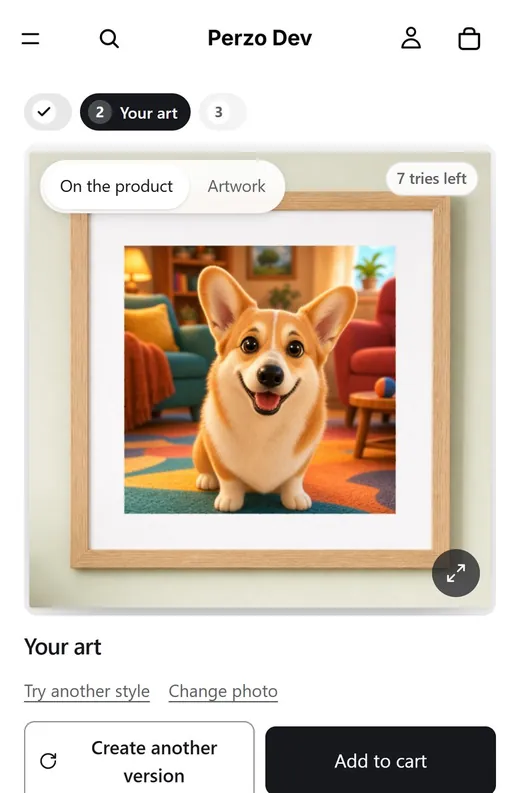
Pet portraits as a product
A custom pet portrait is a personalized gift for occasions such as birthdays, adoption days, the holidays or a memorial. Each one starts from the owner’s own photo, and it can go on products such as framed prints, canvases, mugs, pillows and shirts.
Perzo generates the portrait, lets the shopper approve it in the wizard and prepares the print file, without requiring a separate proof-email step. You still choose the look, the products and the price.
Your style, their pet
A golden retriever photo as a loose watercolor. Illustrative example generated for this site; results depend on your style and each photo, so test before publishing.
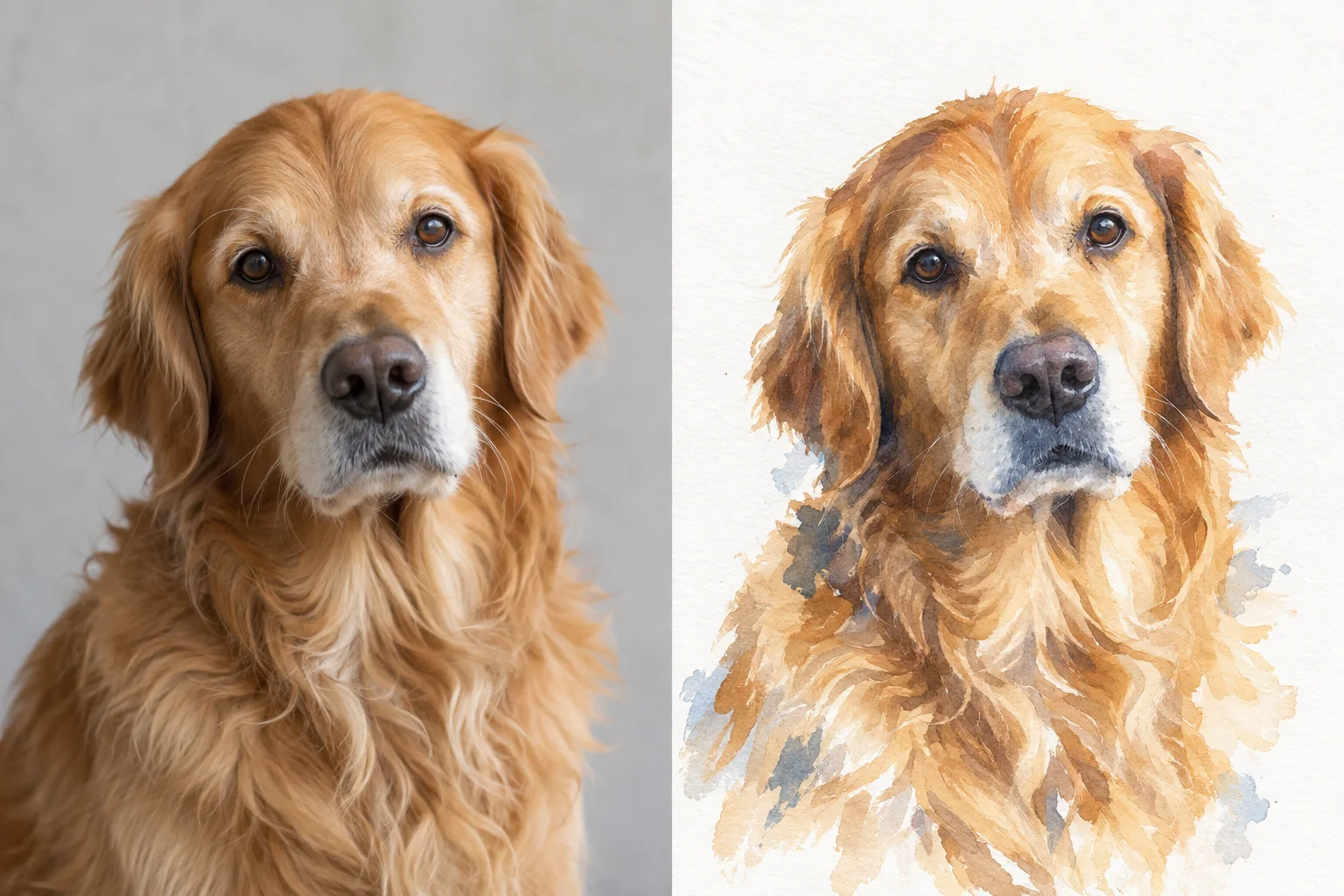
Drag the divider, or focus it and use the arrow keys, to compare photo and art.
Set up a pet portrait product
Four steps in your Shopify admin. No code. Step-by-step details are in the pet portrait guide.
- 1
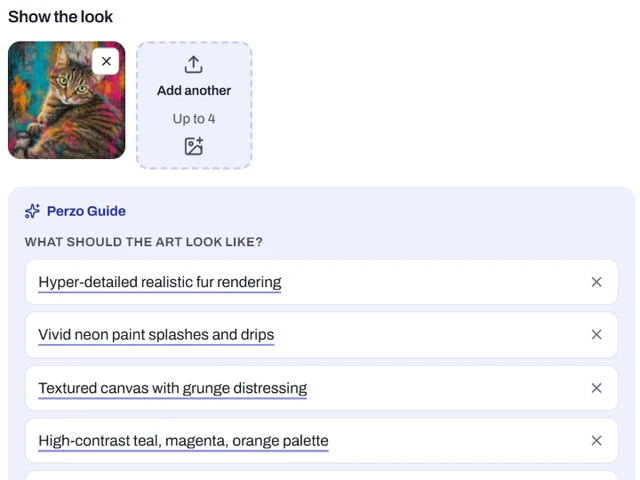
Create the style
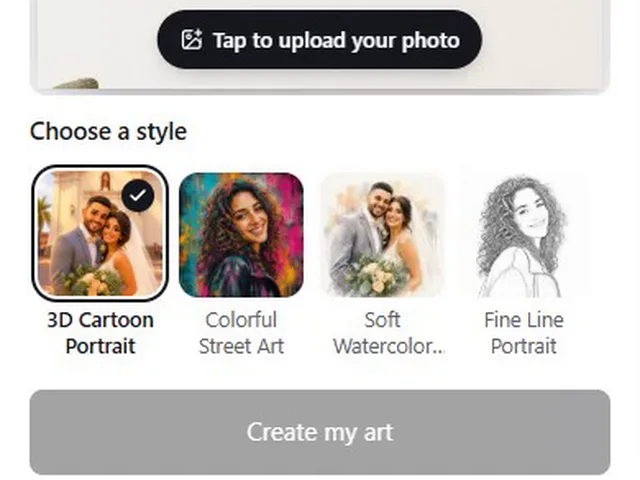
In AI styles, click New style and upload one to four examples of the finished look you sell. Perzo Guide describes it in points you can edit. Or start from a ready style.
- 2
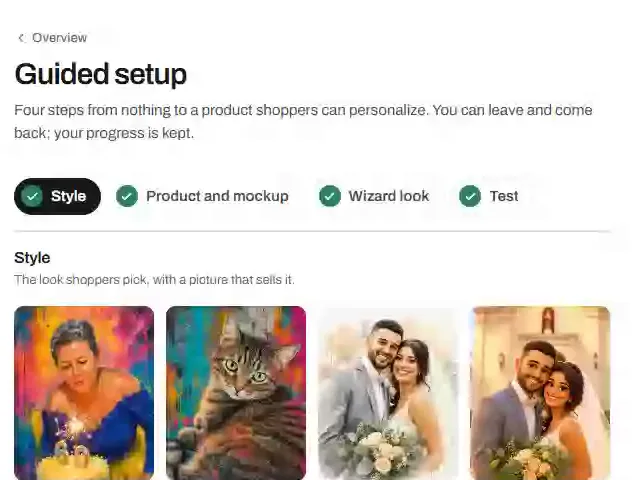
Test it on pet photos
Use Test on sample photos with the kinds of photos your shoppers will send: different breeds, coats, angles and light. Refine and test again.
- 3
Set up the product
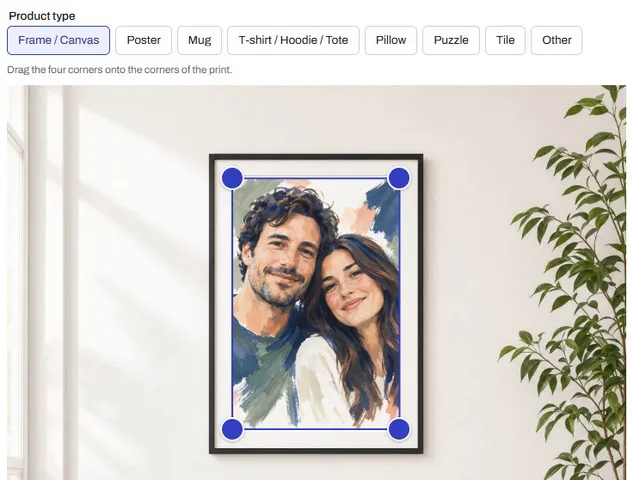
Add the product with its print size and minimum DPI. In Mockups, upload a photo of the blank product and place the print area, so shoppers see the art on it.
- 4
Add the block
Publish the style, choose the products that offer it and add the Perzo block to the product page in the Shopify theme editor.
Products for pet portraits
Offer pet portraits on any product for which you configure a mockup; shoppers see the art on that product’s photo.
- Frame / Canvas
- Drag the four corners onto the corners of the print.
- Mug
- The art wraps around the mug; keep the handle out of the print area.
- T-shirt / Hoodie / Tote
- The folds, shadows and weave of the fabric show through the print.
- Pillow
- The print puffs with the pillow; its folds and shadows show through.
- Poster, Puzzle and Tile
- A straight-on photo of the product is all the mockup needs.
- Other
- Other flat, perspective, cylindrical or fabric products can use a custom mockup.
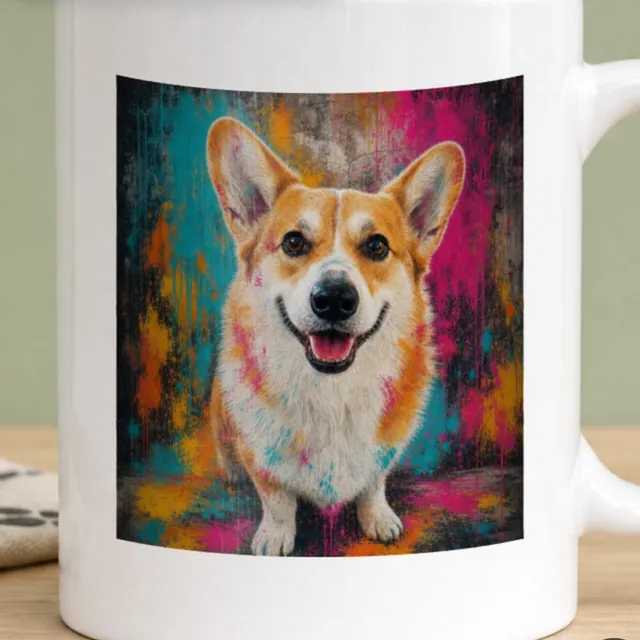
Photo tips for your shoppers
Photo quality can affect the result; consider sharing these submission guidelines in your product description.
- One pet, with the face clearly visible and the eyes in focus.
- Daylight, near a window or outdoors in shade. No flash.
- Shot at the pet’s eye level, not from above.
- The pet fills most of the photo.
- No heavy filters, hard shadows or anything covering the face.
- The original photo, not a screenshot or a photo of a printed photo.
More than one pet? Check that your style keeps every animal in the photo, and test it with group photos before you offer it. In the wizard, Perzo frames the photo to your print shape automatically; shoppers can adjust the crop, zoom or rotation, and see a tip to zoom out or use a sharper photo when the framing is small.
Approval and the print file
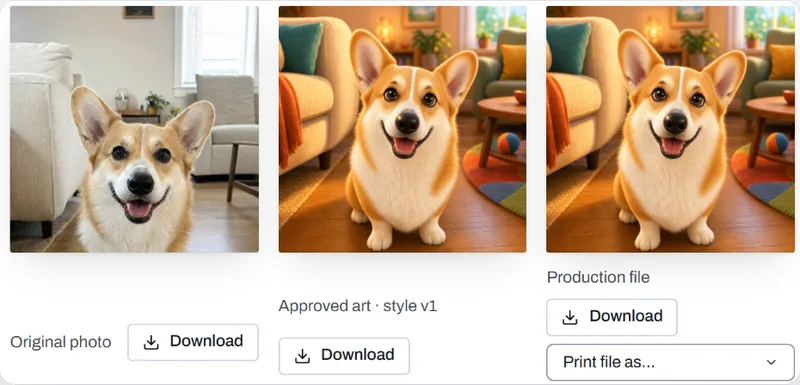
The shopper picks the version they like and adds it to the cart. That exact image is approved: it will not be changed or recreated.
Each linked personalized order appears in Perzo with the original photo and the approved art, and its production file is prepared there. Download the print file (PNG, JPEG, PDF or TIFF) and send it to your printer or print-on-demand provider. Files stay available for the retention period you set. Perzo has no direct print-on-demand integrations yet.
Want the pet’s name on the portrait? Add a text field: the name is set in your font over the art on the print file.
Pricing
Monthly plans billed through Shopify, with generations included. One generation is one AI art creation, whether or not the shopper buys. Every published self-serve plan starts with a 9-day free trial.
- Starter$19.00 a month, 60 generations included, $0.39 per extra generation
- Growth$49.00 a month, 200 generations included, $0.29 per extra generation
- Pro$99.00 a month, 500 generations included, $0.19 per extra generation
- Scale$299.00 a month, 2,000 generations included, $0.14 per extra generation
- Custom5,000+ generations a month, priced with you
Pet portrait questions
Is Perzo a pet portrait service?
No. Perzo is a Shopify app for stores. Store owners use it to sell custom pet portraits; shoppers buy the portraits from those stores.
Does it work with cats and other pets?
Perzo does not restrict uploads by pet type. Test your style on the kinds of pets your shoppers have, such as cats and dogs, before publishing it.
Can I sell pet portraits on mugs and shirts?
Yes, on any product you set up a mockup for: frames and canvases, posters, mugs, T-shirts, hoodies and totes, pillows, puzzles and tiles. Other flat, perspective, cylindrical or fabric products can use a custom mockup.
Can the portrait include the pet’s name?
Yes. Add a text field to the product: the name is set in your font over the art on the print file. The text never goes to the AI.
How do I print and ship the orders?
Download the print file from the order and send it to your printer or print-on-demand provider, then ship as you do today. Perzo has no direct print-on-demand integrations yet.
Can shoppers see the portrait before they buy?
Yes. They see the portrait (on your product, when a mockup is set up), can create another version within your limits, and approve one exact image before adding it to the cart. Previews carry a watermark by default.
What does it cost?
Perzo plans are monthly, billed through Shopify, with generations included (see pricing). You set your own product prices.